AI virtual try-on · iPhone

Virtual try-on that starts with one selfie

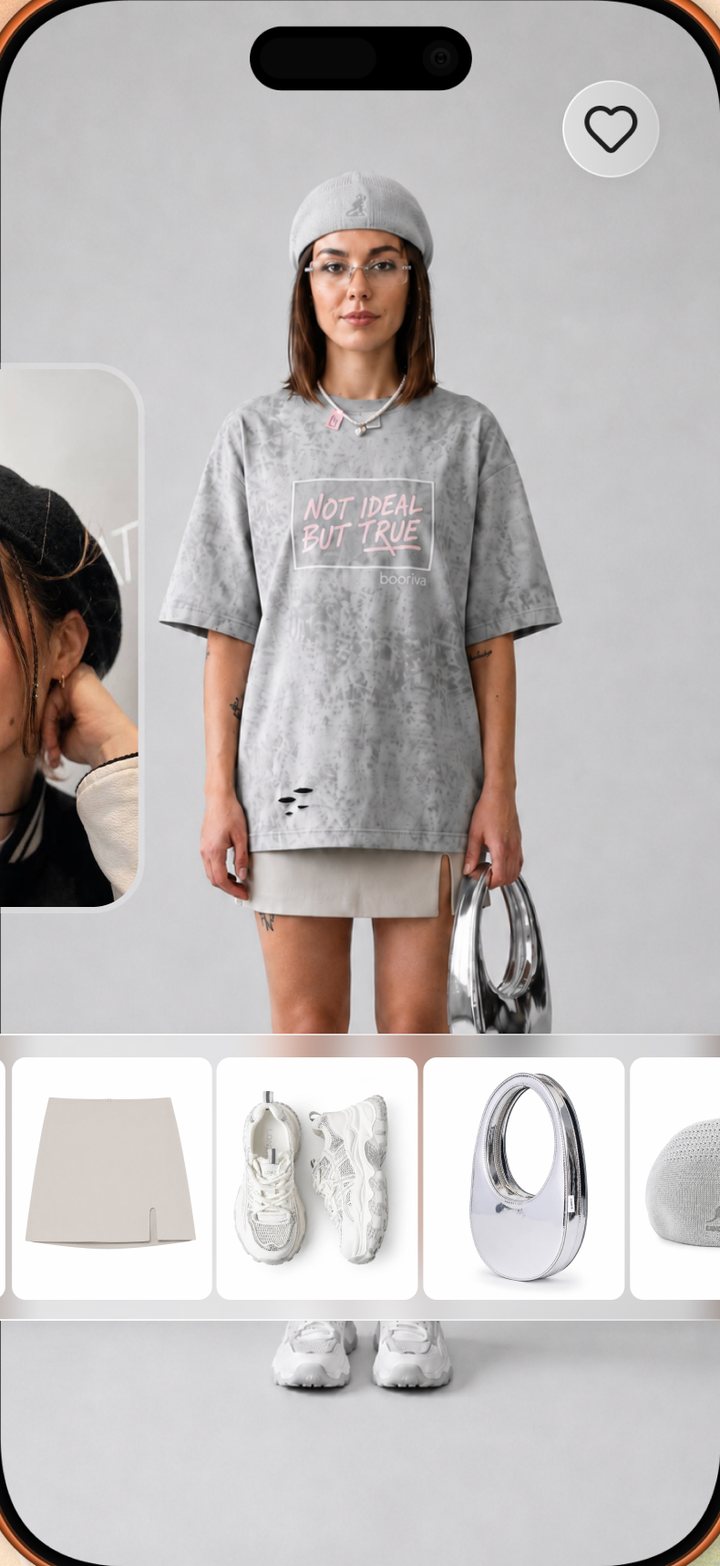
No avatar. No 30-minute scan. Add a single selfie and Lookora’s AI generates a photo of you wearing any outfit — stylist-picked looks, pieces from your closet, or anything you screenshot.

5 free try-ons monthly · No card needed · Cancel anytime

An AI virtual try-on result in Lookora showing an outfit rendered on the user.
One selfieThat’s the whole setup
SecondsPer rendered look
AnythingCatalog, closet, screenshots
5 freeTry-ons every month
Trying on a stylist-picked outfit with Lookora AI try-on.
How it feels

AI clothes try-on, without the avatar tax

Avatar-based apps want six photos and half an hour before you see anything. Lookora asks for one selfie and renders your first look in seconds — matched to your face, coloring and build.

  • No avatar creation step at all
  • Your selfie is reused for every look
  • Swap the photo whenever you like
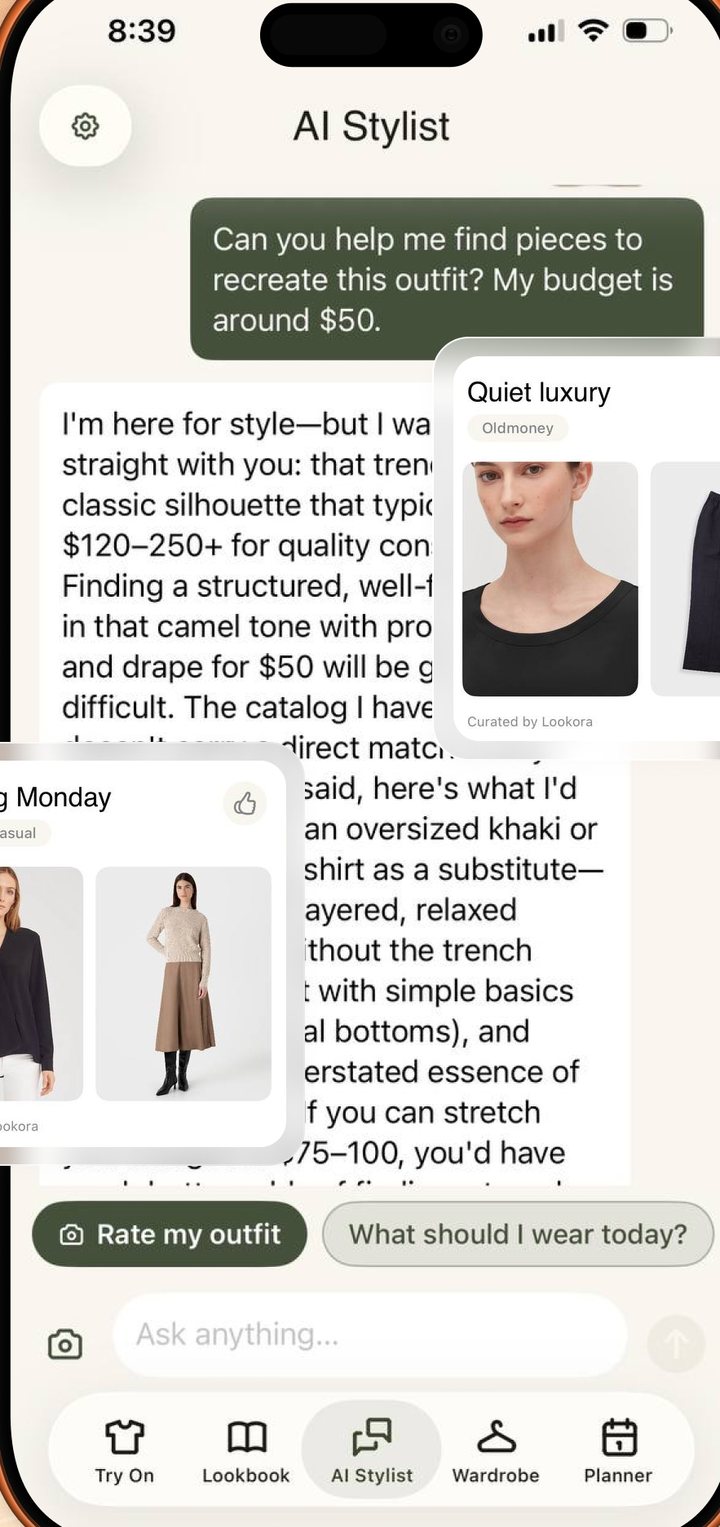
Lookora AI stylist suggesting pieces to try on.
What to try

Try on looks a human actually styled

The Lookbook is assembled by real stylists, not a trend feed — and every look in it is try-on-able. See the whole outfit on yourself with one tap, then save it or shop it.

  • Stylist-made looks, refreshed weekly
  • Full outfit in a single render
  • Save favorites, skip the rest
Digitizing a wardrobe from one photo in Lookora.
Your clothes too

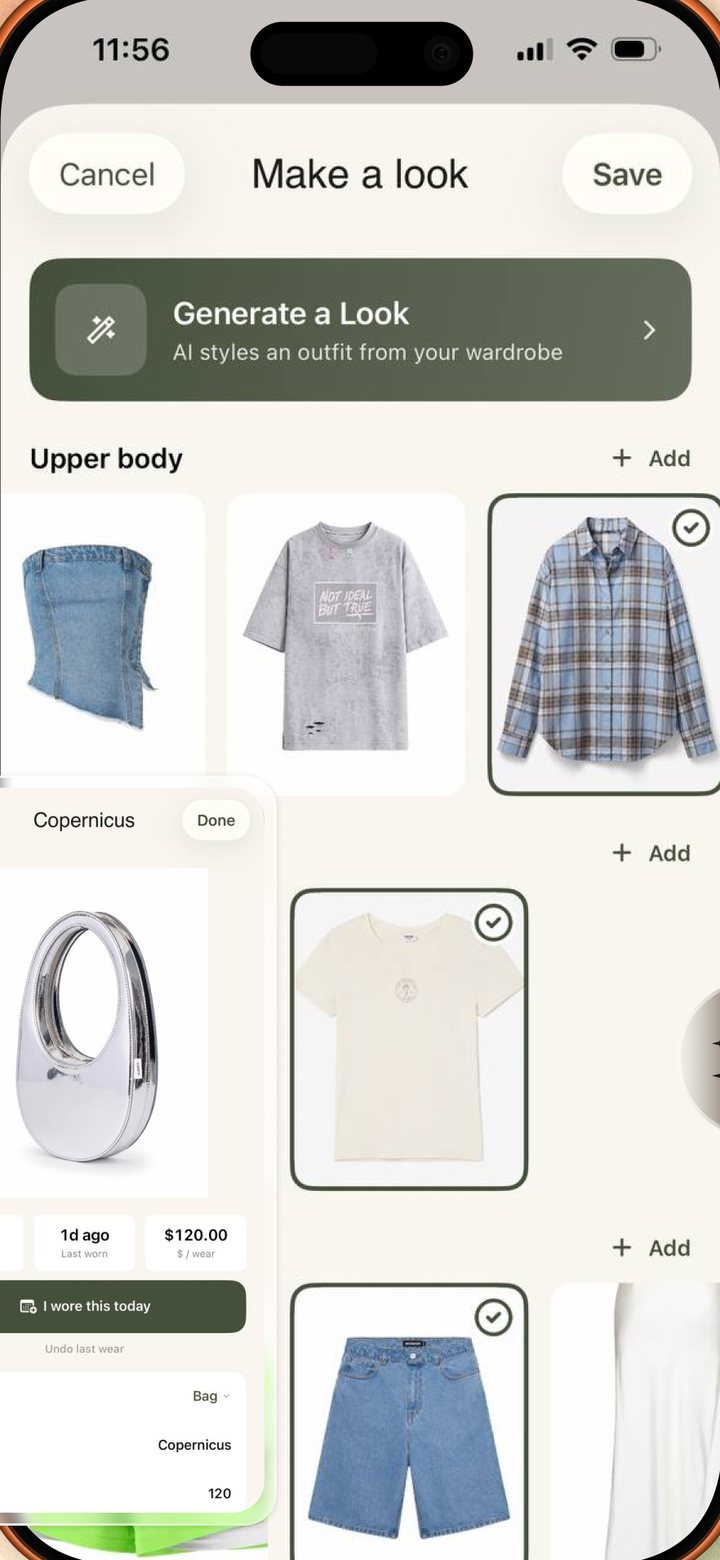
Try on your own closet — and anything you screenshot

Digitize your wardrobe with one photo and re-try your own pieces in new combinations. Spot something on Instagram or Pinterest? Share the screenshot and Lookora puts that piece on you.

  • Closet digitized from one photo
  • Screenshot → try-on via the share sheet
  • New combinations without buying

How AI virtual try-on works in Lookora

Classic “virtual fitting room” tech edits a garment onto your photo. It preserves your pose, but it only handles one piece at a time and falls apart on full outfits. Avatar apps go the other way — they build a 3D model of you, which takes a pile of photos and a long wait, and still ends up looking like a game character.

Lookora takes a third path: generation. From a single selfie, its AI generates a brand-new photo of you wearing the complete outfit — top, bottom, shoes, bag — matched to your face, coloring and build. The result reads like a mirror, not a mannequin, and it takes seconds rather than a setup session.

Honesty matters here: the result is an AI-generated image, not your original photo with clothes swapped. It’s a realistic preview for judging whether a style suits you — the color against your skin, the silhouette on your build — not a millimeter-accurate fit guarantee. That’s exactly the decision you’re stuck on when a cart sits unpurchased, and it’s the one Lookora answers.

Try it free: five try-ons every month, no card needed. If you try clothes online more often than that, Pro unlocks more renders, Full Look generation and the AI stylist.

Good to know

Questions, answered.

Do I need to build an avatar?

No. One selfie is all it takes — no six-photo, 30-minute avatar to build. Lookora’s AI generates your looks on demand from that single photo.

Are the try-ons real photos of me?

No — each try-on is an AI-generated image. Lookora renders a new photo of you wearing the look, matched to your face, coloring and build, rather than editing your original photo. It’s a realistic preview to judge a style — not an exact guarantee of fit.

What can I try on?

Stylist-made looks from the Lookbook, pieces from your own digitized closet, and anything you screenshot from Instagram, Pinterest or a shop.

Is the virtual try-on free?

Yes — 5 free try-ons every month, no card required. Lookora Pro adds more, plus Full Look generation and the AI stylist.
Which devices does it work on?

Lookora is an iPhone app, available on the App Store in nine languages.

Lookora for iPhone

See it on you first.

One selfie, any outfit, seconds later it’s on you. Free to start on iPhone.

Download on the App Store

5 free try-ons monthly · No card needed

Not on your phone? Try a look free in your browser →