Wardrobe app · iPhone

A wardrobe app for the clothes you already own

Lookora is a wardrobe app that begins where a closet app should: photograph what you own, and every piece lands as its own card, tagged and counted and ready to wear again.

Free to start · No card needed · In your browser and on iPhone

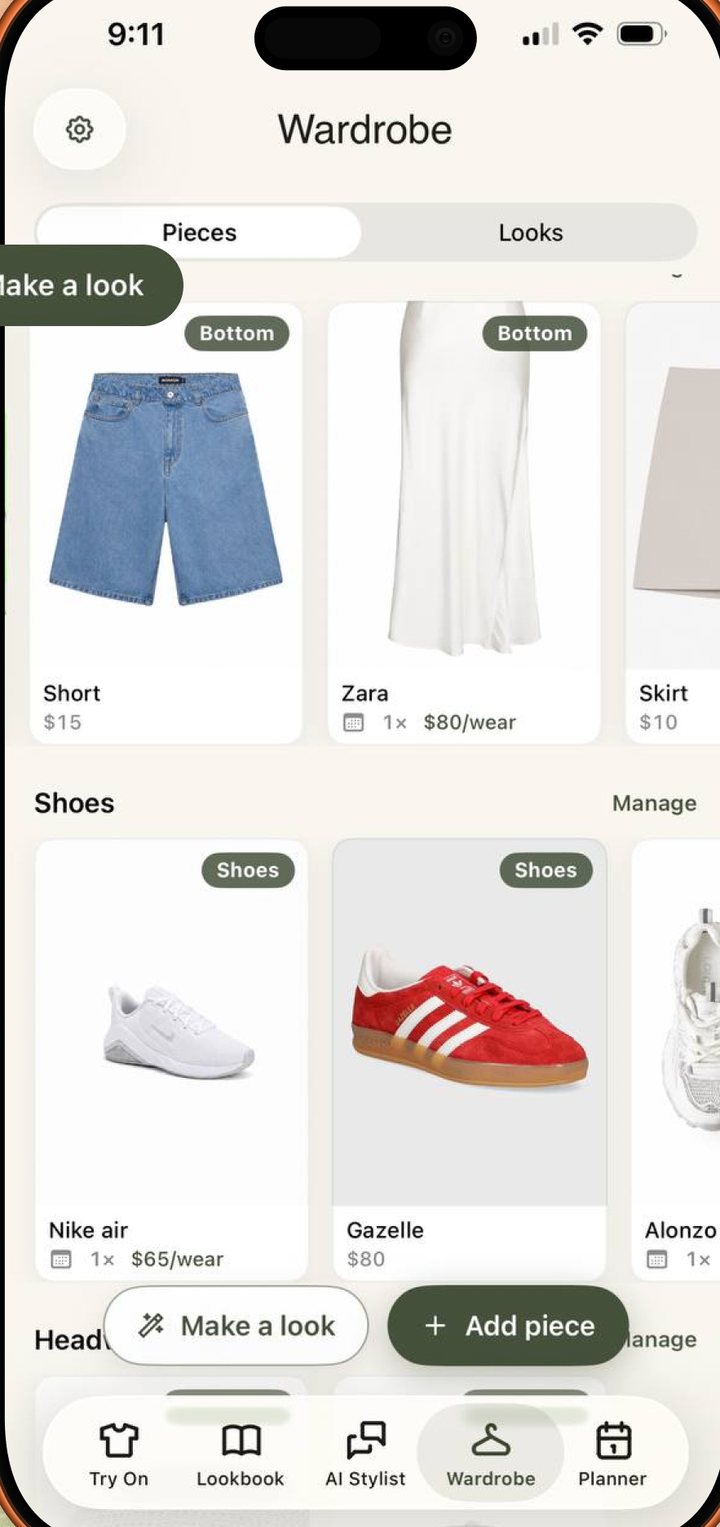
The Lookora wardrobe app showing a digitized closet as a grid of tagged pieces.
From photosSeveral pieces per shot
Auto-taggedColor, season, style
Wear countAnd cost per wear
5 freeTry-ons every month
Lookora detecting and tagging clothes from one wardrobe photo.
Getting it in

A closet app you can fill in an evening

Most wardrobe apps die at data entry. Lookora reads your photos instead: point the camera at a shelf or a rail and it finds each piece, cuts it out on a clean background and tags it. You fix the odd wrong label and keep the rest.

  • Several pieces recognised per photo
  • Clean cut-out instead of a cluttered snap
  • Color, season and style tagged for you
A single garment card in Lookora with its wear count and cost per wear.
What it knows

Every piece a card: worn, last worn, cost per wear

Tap a piece and the app tells you the thing a closet never will: how many times you have worn it, when you last did, and what each wearing has cost you. The coat you agonised over stops being a feeling and becomes a number.

  • One tap to log today’s wear
  • Cost per wear once you add a price
  • Search and filter your own rails
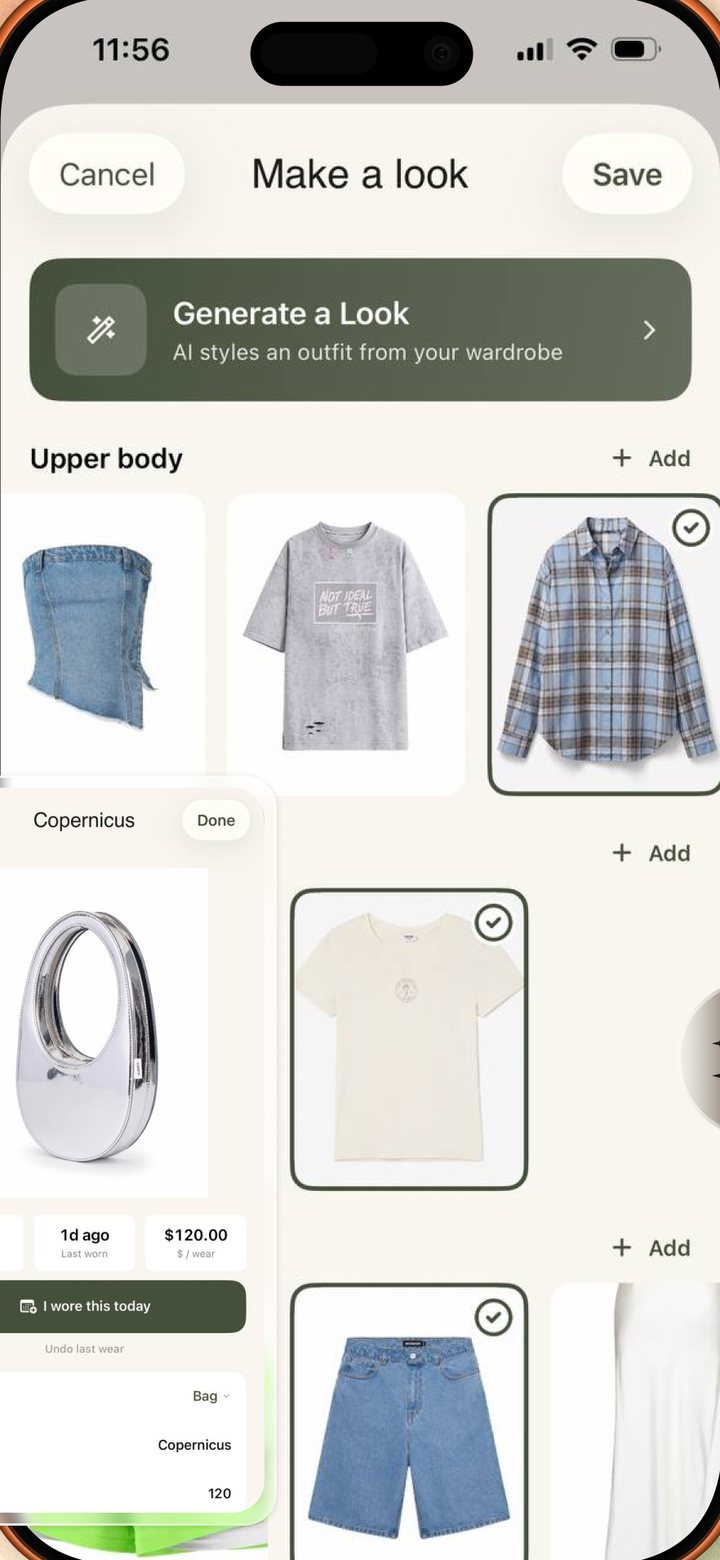
Combining owned pieces into a new outfit and previewing it in Lookora.
Using it

Capsule wardrobe thinking, without the spreadsheet

A digitized closet is a capsule wardrobe app the moment you ask it for combinations. Lookora builds outfits from pieces you own, and any of them can be rendered on you first — so the experiment costs a tap instead of an afternoon.

  • Ask the stylist for a seven-piece capsule
  • New outfits from clothes already in the flat
  • Preview a combination before you commit

What a wardrobe app is actually for

The promise of a closet app has always been the same and has almost never been kept: know what you own, wear more of it, buy less of it. The reason is dull and practical. Cataloguing a wardrobe by hand is an hour of tapping for a benefit you only feel weeks later, so the app gets abandoned somewhere around the sixth shirt.

Lookora removes the hour. Photograph a shelf, a rail, a pile on the bed. The AI picks out the individual pieces, cuts each one onto a clean background and tags it by color, season and style. A wardrobe that took an evening of typing now takes a few photos and a couple of corrections, and the corrections are one tap each.

What the app does with that closet is the second half. Each garment carries a wear count, a last-worn date and, once you add what you paid, a cost per wear. Those three numbers change how a wardrobe reads. The jacket worn forty times has earned its place; the one worn twice in two years is answering a question you have been avoiding. This is also the honest version of a capsule wardrobe app: not a rule about thirty-three items, but a running account of which pieces do the work.

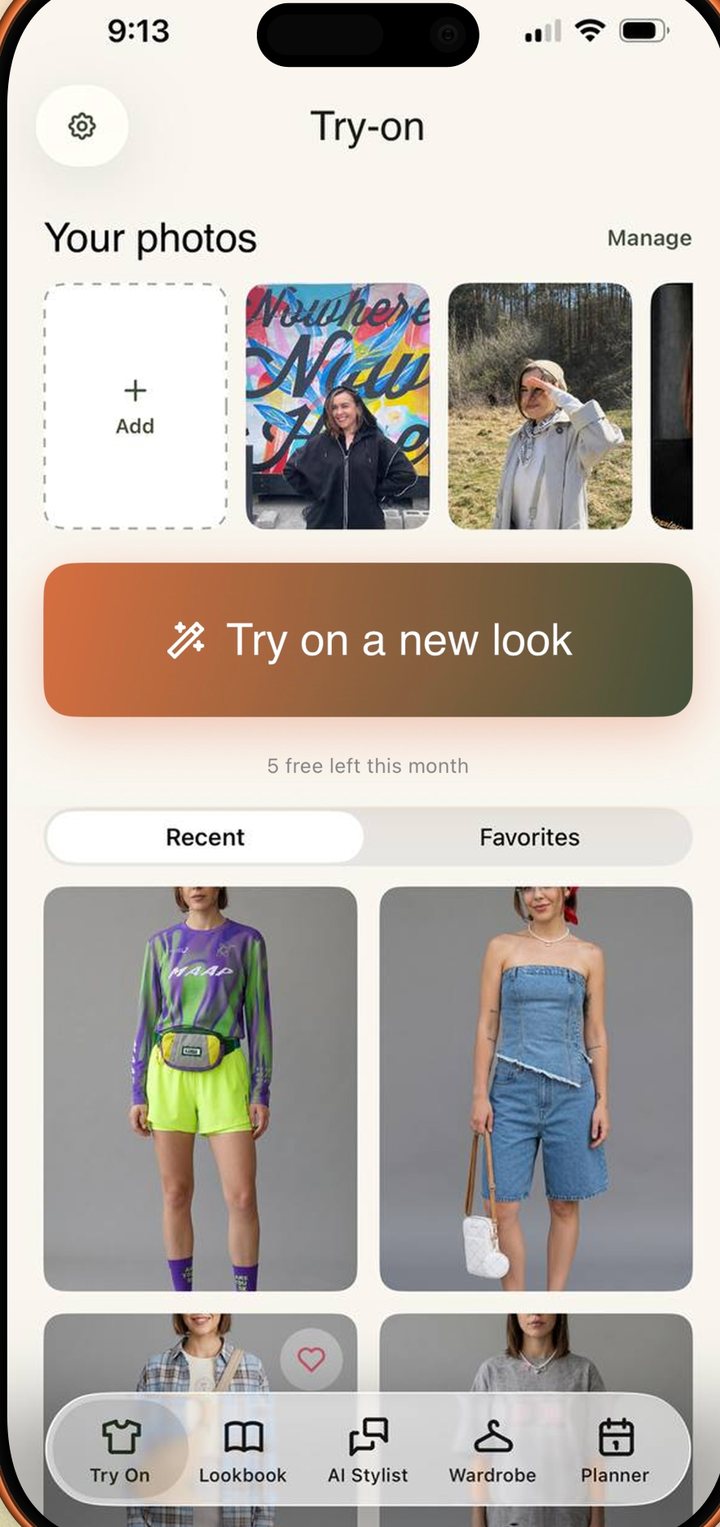
And because the closet is inside the same app as the try-on, a combination you have never tried is a tap away from being visible. Lookora renders you wearing it — an AI-generated image made from a single selfie, matched to your face, coloring and build, not your original photo with clothes pasted on. It is a realistic preview for judging whether a pairing works, not a guarantee of fit. That is enough to settle most “does this go with this” arguments before you are dressed.

The wardrobe, the wear log and the outfit building are free on iPhone, alongside five AI try-ons a month with no card. Lookora Pro, $5.99 a week, raises that to 99 looks a month and opens the AI stylist. In a browser you can try the rendering itself: one look as a guest, three a month with a free account. The closet stays on the phone, where the camera is.
Good to know

Questions, answered.

Is Lookora a free wardrobe app?

Yes. Building the closet, logging wears and creating outfits are free on iPhone, along with 5 AI try-ons a month and no card. Pro is $5.99 a week for 99 looks a month and the AI stylist.

How do my clothes get into the closet app?

You photograph them. Lookora finds the individual pieces in a photo, cuts each one out on a clean background and tags it by color, season and style. Correcting a tag is one tap; nothing has to be typed.

Can I use it as a capsule wardrobe app?

That is what the wear counts are for. Every piece shows how often you have worn it and what each wearing costs, and the stylist will build a seven-piece capsule for a season out of what you already own.

Does the wardrobe app show clothes on me?

Yes. Any outfit built from your pieces can be rendered on you from one selfie. The result is an AI-generated image, a realistic preview for judging a style rather than an exact guarantee of how a garment fits.

Is there a smart closet app for the web?

The closet and the wear log are on iPhone, where the camera is. The browser runs the try-on itself: one look as a guest, three a month with a free account.

Lookora

See it on you first.

Photograph the closet once. Then wear more of it and buy less of it. Free to start on iPhone.

Free to start · No card needed · In your browser and on iPhone